Saturday, October 25, 2008

Social Networking Platforms

This week (the one that's now over) we were supposed to be investigating social networking platforms. Out of interest, I searched one of the platform Ning for existing social networks about facilitation. There are quite a few!
I hope participants in this course will get in there and investigate these existing online communities on Ning, and perhaps even consider organising an event for our course mini conference where we can all take a look at what you've found, hear from some of the members, and discuss what makes social networking platforms like Ning so attractive to people.

Others might want to check out other platforms like Facebook, Myspace, Bebo and others.

Wednesday, October 22, 2008

Our Second Life Meetings

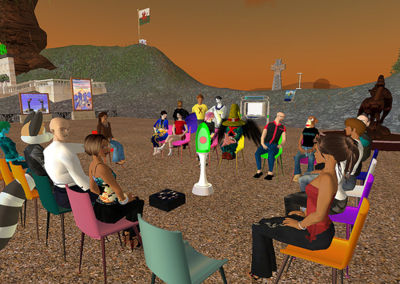
It was really interesting to be a part of our meetings in Second Life. We had 2, and one was entirely different from the other. In our first meeting, only 2 from the FOC08 course made it, myself and Amy. But it didn't take our host Jo long to fill the space with her contacts and before long we were having a rich discussion about community in SL and techniques for facilitation on SL. The chat log was recorded and is available here. I did the best I could in minuting the voice discussion.

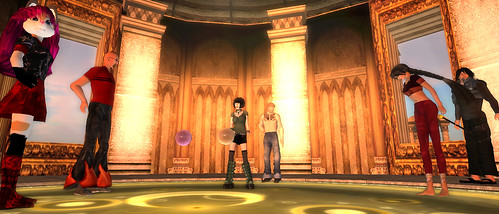
Later, I asked Jo what location was the hot pic in SL at the moment. Jo took us to the amazingly romantic Tempura Island which could well represent an emerging culture in Second Life coming from Japanese developers. Jo explained that the space was developed by a couple of Japanese guys and it had attracted a lot of attention in SL recently. We could see why - it was a truly mesmerizing and immerse work of art, and it was wonderful to experience it with real people joking, laughing and talking through their avatars.

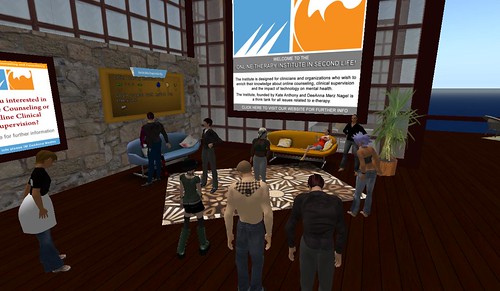
The second meeting saw a much larger group from FOC08.. I think there were 9 of us. I could only stay for 30 minutes so can't really say how it went entirely. Jo was a great help once again, as we had a lot of "newbies" - people new to using SL and needing a bit of help with the controls. Once everyone was reasonably up to speed with using their avatar, we all went to the Online Therapy Institute, where therapists are using SL to counsel people and to display information about mental health and other aspects of therapy.

In all, I felt it was the first meeting that more truly explored ideas of community in SL and techniques for facilitating, while the second seemed more focused on developing skills in the use of SL and legitimising the platform with an obvious example. I hope we will see posts on participant blogs that will go past the use and legitimisation issues, and look more deeply at the very real existence of communities in Second Life, and the strategies for facilitating such communities. You really can't get anyone more experienced in this than Jo Kay (Jokay Wollongong) who facilitates the Jokaydia sim.

Wednesday, October 15, 2008

Wk 10: Looking for online community: Virtual Worlds - 13 - 19 October


Meeting with Grad Students in Second Life - a photo by Pathfinder Linden Pathfinder Linden spoke at a weekly meeting held by grad students who are using Second Life as part of their academic research. My discussion focused on the importance of research ethics in virtual worlds. Fantastic group of folks, and they have an excellent wiki with more information about their work: http://www.simteach.com/wiki/index.php?title=Second_Life_Grad_Student_Colony
A virtual world is a computer-based simulated environment intended for its users to inhabit and interact via avatars. These avatars are usually depicted as textual, two-dimensional, or three-dimensional graphical representations, although other forms are possible[1] (auditory[2] and touch sensations for example). Some, but not all, virtual worlds allow for multiple users. Wikipedia July 2008.
This week we will be focusing on the use of Second Life as a platform for interaction through an online simulated environment. It is recommended that you access are modern computer and you will need to install the Second Life client to do this week's activities. If you live close to an Internet cafe, they will be able to set you up for an optimal experience

To do

1. Download and install the Second Life client and post to your blog your Second Life user name.

2. Add your Second Life user name to the list of user names for people doing this course.

3. Once you have installed Second Life on your computer click this link taht will start Second Life and log you in directly to Jokaydia. We'll use the 24/7 Meeting room as a backup meeting space. In this meeting you will be shown how to use Second Life and then be taken on a tour of interesting venues and projects in Second Life.

Meeting times

3. Read through the Wikipedia entry for Second Life and conduct your own research into the platform to develop a perspective on what sort of communities exist there. Write a post to your blog with ideas on how you might operate as a facilitator for a community communicating on Second Life.

4. Continue preparations for your facilitated event at the course mini conference

Extra resources

Friday, October 3, 2008

Meeting recording available - preparation for course mini conference

We had a good couple of small meetings earlier this week to discuss preparations for the course mini conference. 7 people made it to the first meeting, and 3 to the second meeting, with about 5 sending in apologies. Here are the recordings of the first meeting.

It is great to see progress already in the preparations for the
course mini conference development wiki


The conference will take place starting the 2nd of November UTC. The week leading up to that date is last minute preparations.

So, for people participating in the course and aiming to do this assignment in the course, you should be arriving on an idea and implementation plan now (ish) and writing it up on your blog. Seek feedback, read other ideas and develop it more before adding it to the conference wiki page. It doesn't have to be a fully formed idea to be added to the wiki, the blog step is so you have a record in your own space, before putting it on the wiki for collaborative development.

Some people have started a new subpage to the conference wiki for their event. This is great and it would be good to see generally over time. But for now, just focus on getting something on the wiki so we can start securing times and dates, and thinking about collaborations.

Tuesday, September 23, 2008

Wk 9: Looking for online community: Wiki collaborators - 22 - 28 September

Jee wiz these weeks just go by so fast! I see that some of us have used the week to catch up a little, or simply get some breathing space, but we need you all back now, because things are about to get interesting...

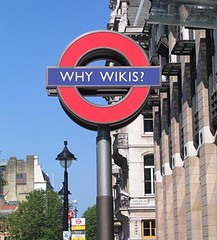
Why Wikis. CC By blogefl
This week we will begin organising our course mini conference where you will each facilitate an online session. We will use a wiki to coordinate our events, so we can each experience collaboration through a wiki. Online communities through wikis are harder to identify as they usually focus around the creation of content. Wikis usually have a discussion tab with each page, and you can sometimes see community like communication there.

To do

1. Write to your blog the initial ideas you have for your assignment 2 - facilitating your event in the course mini conference. Describe who or what you plan to bring to the group and through what channel of communication.

2. Add your proposed event to the course mini conference web page, and use that wiki page's discussion tab to negotiate and discuss and develop the mini conference. Ie. start a discussion forum thread for your proposed event and discribe your idea in more detail, including any questions or concerns you have that the group may be able to help with. Respond to other people's threads and get the wiki happening.

3. Join in a webconference to discuss the up coming course mini conference and everyone's thoughts and ideas for it. Meeting 1 will be at UTC 9pm 29 September 2008 (what time is that for you?), and meeting 2 will be at UTC 8am 30 September 2008 (what time is that for you?). Both meetings will be in the the 24/7 meeting room.

Extra resources

Wednesday, September 17, 2008

Week 8 - open vs closed is optional

Image: The "Feral Troll" by Benimoto

A few of us met yesterday and we first discussed what we should make of this week. I didn't record it because initially there was just Vida and I, Barbara and Nellie joined later and it took a while for us to actually talk about stuff to do with the course. Basically we all thought it would be OK to set week 8 as optional:

Wk 8: Open versus closed communities - 15 - 21 September

When people first start using the Internet to communicate, collaborate and connect with others they are often worried about the openness of information. There is debate around personal security and client confidentiality. For some an open platform such as a blog or a public email forum is intimidating and makes them feel vulnerable to criticism and predation. Is it just a matter of learning to write for a public forum or are there real issues around privacy in open forums? Is there a place for a closed forum? What are the benefits and the disadvantages of open networking versus closed forums?"

To do

  1. This week is optional. If you are feeling behind, take this week to catch up.
  2. If the open versus closed topic interests you, use the resources below to find your own path into it.
  3. If another topic is of interest to you and something you would like to spend some time on, do that.

Extra Resources

Friday, September 12, 2008

I'm falling behind Week 7 Blog networks

Its almost the end of week 7 where we look into blogging networks and I have only just finished catching up on emails and blogs posts. I realise that I haven't updated my news reader with the feeds of some late comers to the course too! Better do that.

2 things I am noticing over all. We are still tending to blinker our thinking with educator eyes. Most of us have the rest of our working days to think about teaching people we call "learners", how about taking some time out from that way of thinking and considering people as people, and facilitation not as teaching or an educational practice with some kind of learning objective. If you did try and think outside that box for a bit, as Bron has been doing for a few weeks now, I think you will discover ideas that will ultimately inform your teacherly practices, maybe even expand horizons to a possible new role in the community that is not all about learning outcomes. Perhaps listening to the meeting recording from last week will shed light on this line of thinking.

I have also noticed a slight slow down in blog posts, and especially comments and networking with each other. It is a shame to see more and more posts without comments, where as earlier in the course I was amazed by the number of comments helping to keep us stitched together. Naturally we all get busy, especially as the novelty of the course wears off, and it is in part due to the start of the CCK08 course for some of us, but I hope we can all keep up the effort for FOC08 and aim keep it going, networking with and supporting each other as much as possible. It helps us all along and keeps us feeling connected.

Not long now and we will be collaborating in the organisation of an online conference. I wonder how many people we will have with us for that? How many of us have started thinking what we will do for it? and how will we do it. Will we have panels, debates, discussion threads with summaries, photo stories, the development of a wiki document... I wonder?

So early next week I think we should aim to meet online again. I'm thinking Monday UTC at the usual two times.. 8am and 9pm UTC. One thing that really needs discussion at that meeting is what we should do about week 8! It has no instructions!!